
How to Add an EU Withdrawal Form to WooCommerce
If you run a WooCommerce store that sells to customers in the European Union, you’ve probably come across the Right of Withdrawal. Depending on the products you sell and the applicable regulations, customers may have the right to withdraw from a purchase within a defined period.
While WooCommerce provides everything you need to manage products, orders, payments, and refunds, it doesn’t include a built-in workflow for handling withdrawal requests. In many stores, these requests are still processed manually through emails or contact forms, making the process inefficient for both customers and administrators.
As a WordPress developer, I wanted to create a solution that integrates naturally with WooCommerce and simplifies this workflow without adding unnecessary complexity.
The Challenge
Managing withdrawal requests manually quickly becomes difficult as your store grows.
Customers often don’t know where to submit a request, support teams need to verify order details manually, and administrators have no centralized place to review or track requests. On top of that, stores selling both physical and digital products may need different withdrawal rules depending on the product type.
A structured workflow makes the entire process easier to manage while providing a better experience for customers.
The Solution
DevPixels EU Withdrawal Form for WooCommerce adds a complete withdrawal request system directly to WooCommerce.
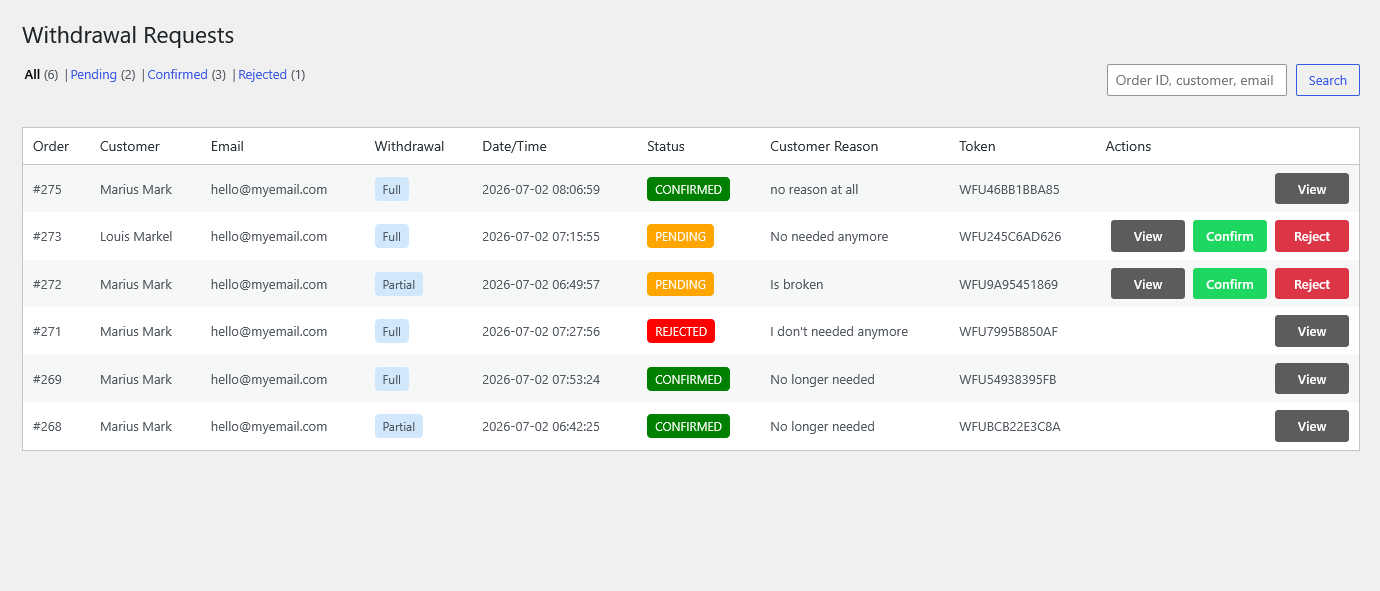
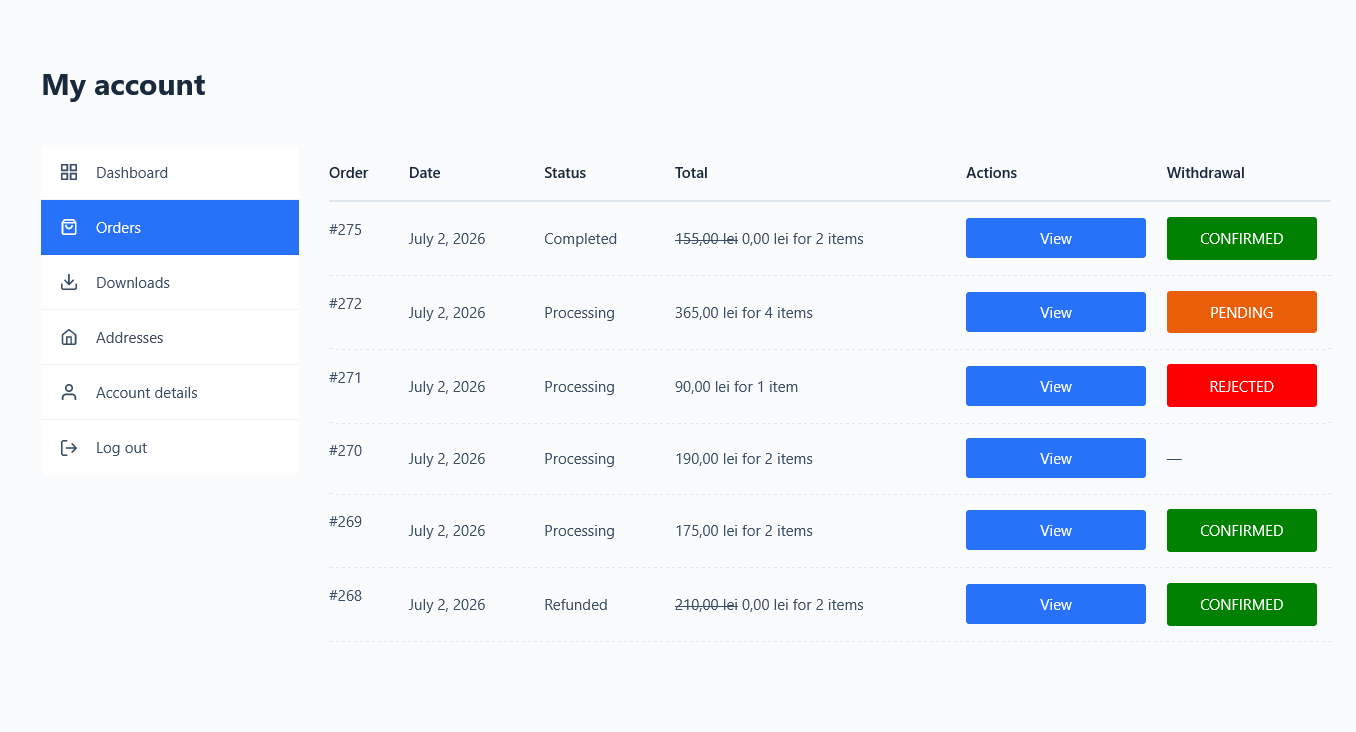
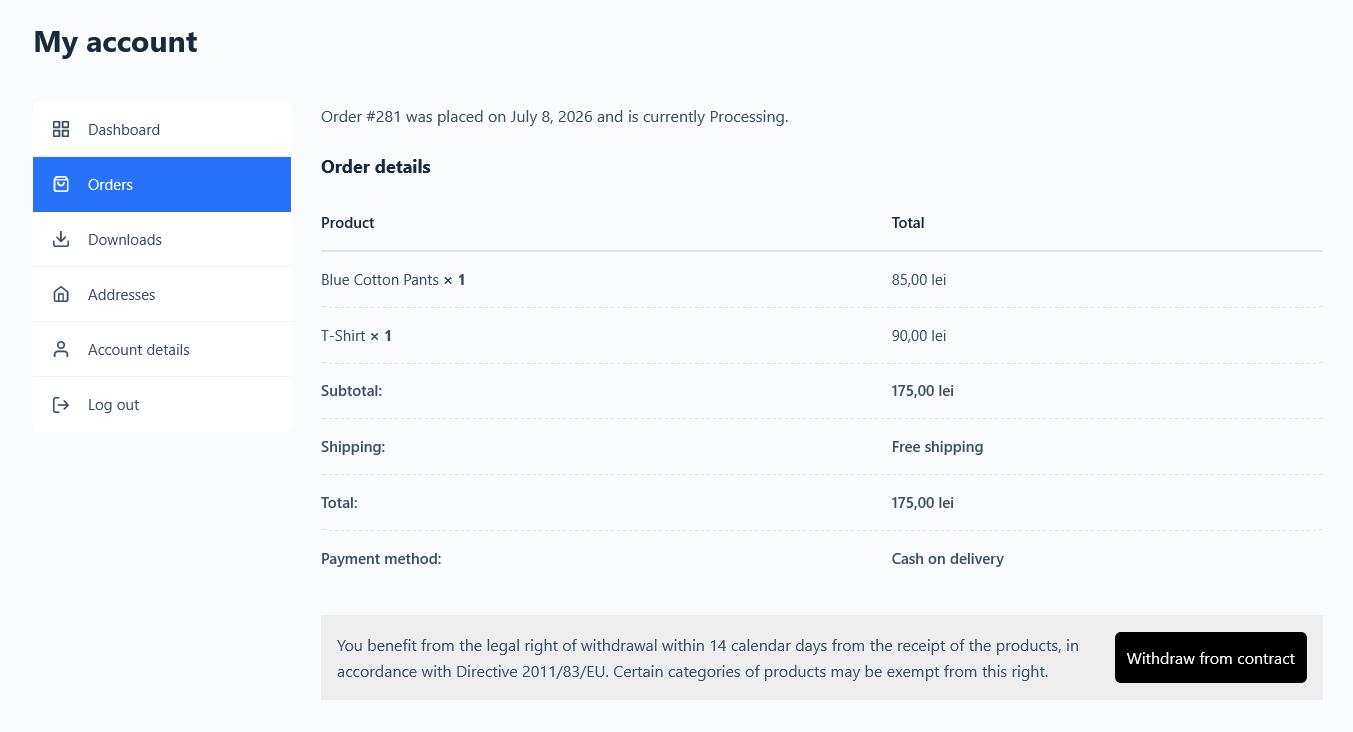
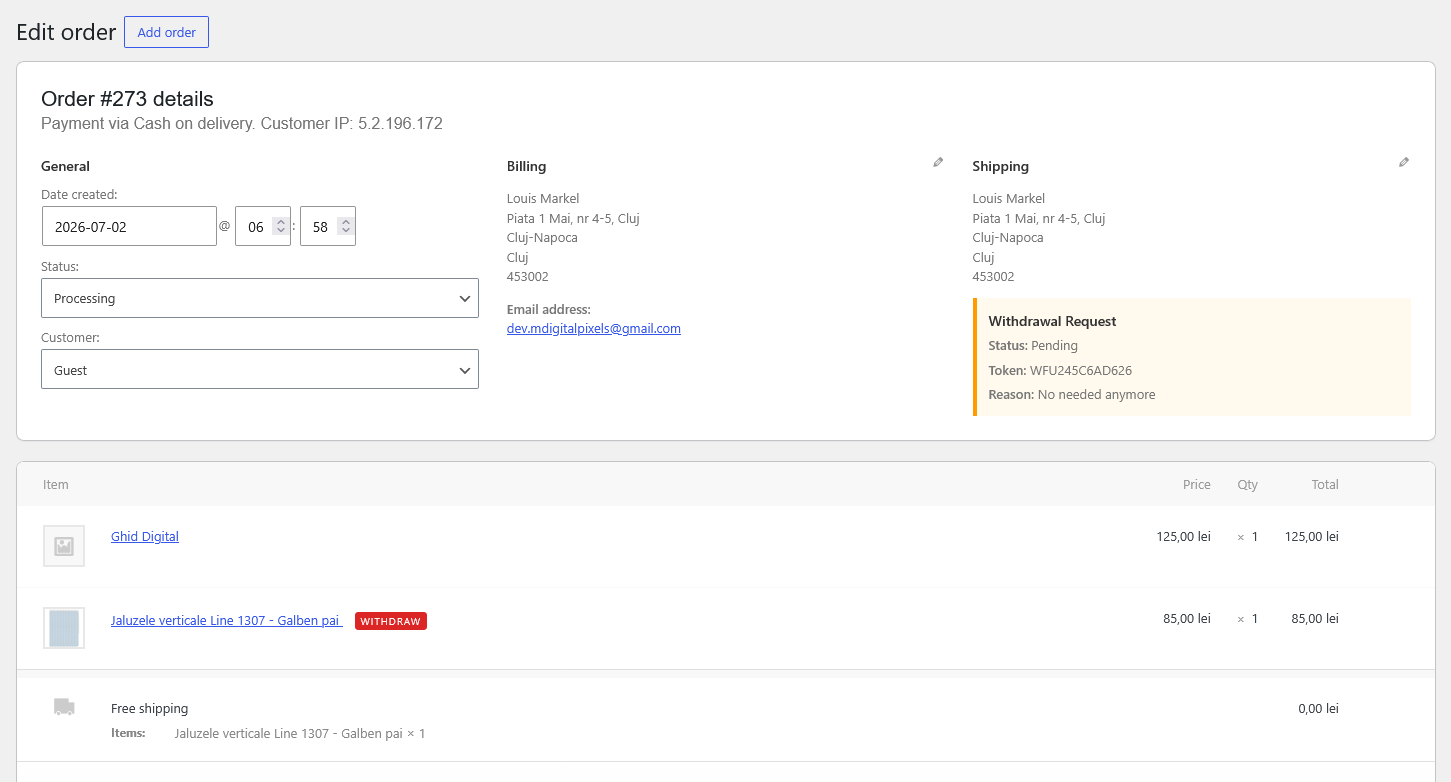
Eligible customers can submit a withdrawal request from their order, while store administrators can review, approve, or reject requests from a dedicated section in the WordPress dashboard.
The plugin works with both registered customers and guest orders, supports WooCommerce High-Performance Order Storage (HPOS), and includes flexible settings to adapt the workflow to different types of stores.
Key Features
- Automatic Withdraw from Contract button displayed only for eligible orders.
- Configurable withdrawal period (14 days by default).
- Support for registered customers and guest orders.
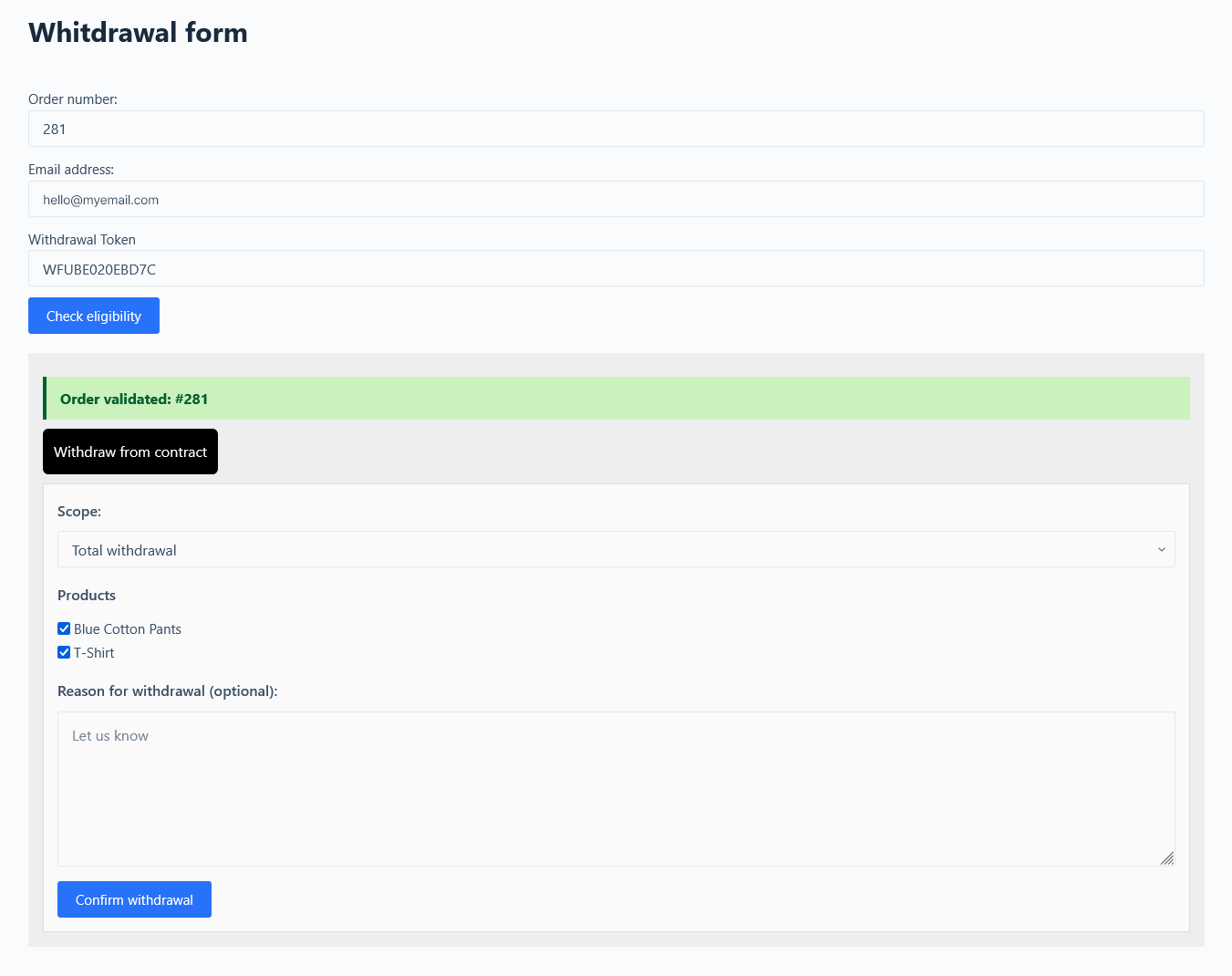
- Secure guest verification using Order ID, Billing Email, and Withdrawal Token.
- Dedicated withdrawal request form with shortcode support.
- Centralized request management inside the WordPress dashboard.
- Approve or reject withdrawal requests with status tracking.
- Customer and administrator email notifications.
- Category-based withdrawal rules for different product types.
- Custom messages for standard products, digital products, and Article 16 exclusions.
- Dashboard widget with recent withdrawal activity.
- Full compatibility with WooCommerce HPOS and Classic Order Storage.
Looking for a lightweight WooCommerce solution for managing withdrawal requests? Explore DevPixels EU Withdrawal Form and Button and see how it integrates with your store.
Why I Built It
Every plugin I publish starts with a real-world problem.
While working on WooCommerce projects, I noticed that many stores handled withdrawal requests entirely through email. There was no clear process for customers, no centralized management for administrators, and no easy way to track requests.
I built this plugin to provide a free, simple, and accessible solution for WooCommerce stores that need a better way to manage withdrawal requests. My goal was to create a lightweight plugin that feels like a natural extension of WooCommerce—easy to install, simple to configure, and flexible enough to fit different business needs.
Who Is It For?
This plugin is a good fit for:
- WooCommerce stores selling to customers in the European Union.
- Businesses selling physical products.
- Stores offering digital products with specific withdrawal rules.
- Agencies and developers building WooCommerce stores for clients.
- Merchants looking for a structured way to manage withdrawal requests.
Final Thoughts
DevPixels EU Withdrawal Form for WooCommerce was built with a simple goal: make withdrawal requests easier for customers while giving store owners a clear and efficient management workflow.
Instead of relying on scattered emails and manual processes, everything is managed directly inside WooCommerce, providing a more organized experience for both merchants and their customers.
If you’re looking for a lightweight solution that integrates seamlessly with WooCommerce, you can download the plugin from the official WordPress Plugin Directory and start accepting withdrawal requests in just a few minutes.
As always, feedback, suggestions, and feature requests are welcome—they help shape future updates and make the plugin even better.